
HOME - DaVinci Resolve Color Grading: A Complete Guide for Beginners and Professionals
 DaVinci Resolve Color Grading: A Complete Guide for Beginners and Professionals
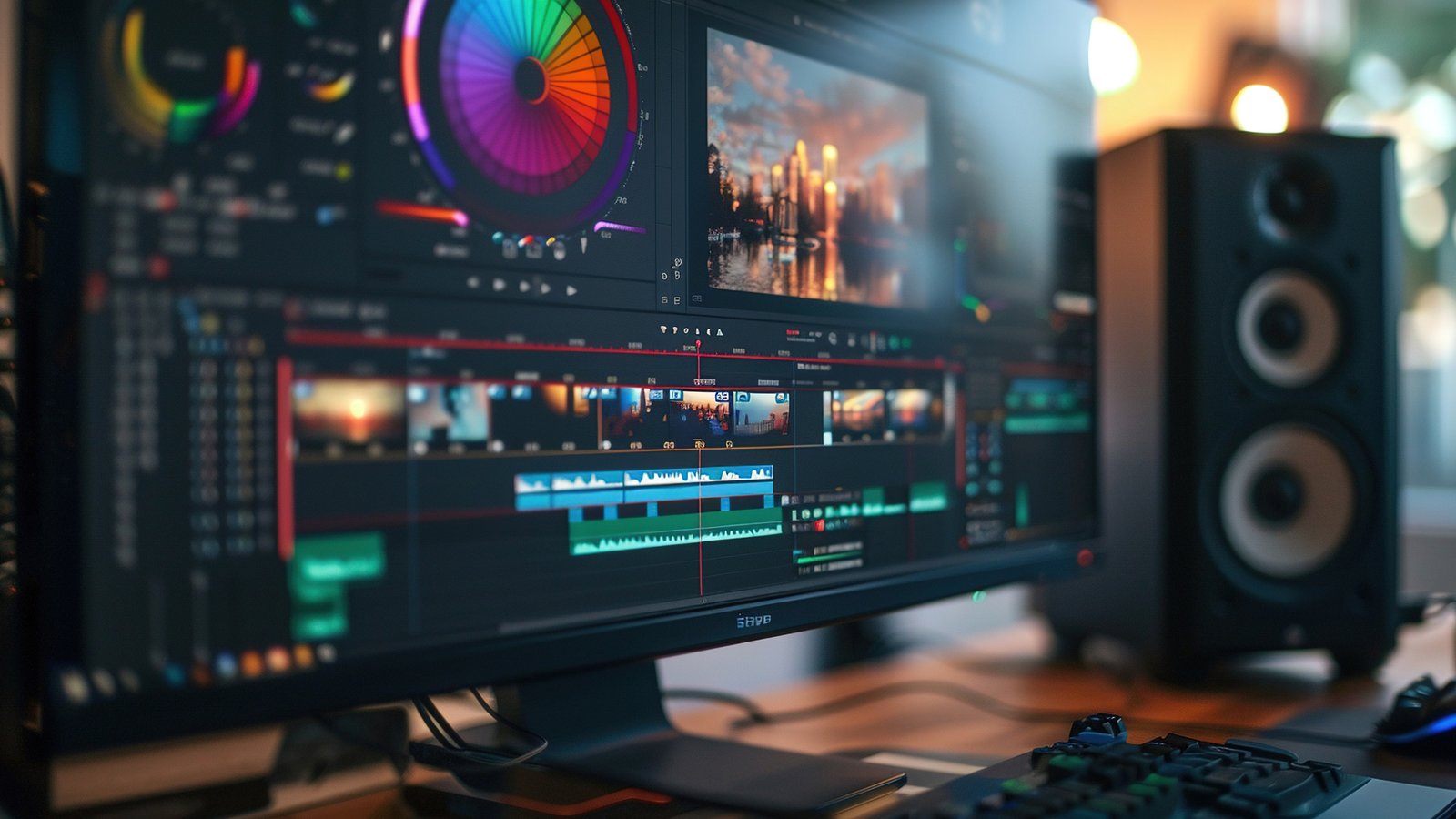
Color plays a powerful role in visual storytelling. It sets the mood, enhances emotions, and gives a film or video its unique identity. When it comes to professional color work, DaVinci Resolve color grading is widely regarded as the industry standard. Used in Hollywood films, web series, commercials, and YouTube content, DaVinci Resolve offers unmatched tools for color correction and cinematic grading.
In this blog, we will explore what DaVinci Resolve color grading is, why it is so powerful, its key tools, workflows, and tips to help you achieve professional-looking results.
What Is Color Grading?
Color grading is the process of enhancing and stylizing the colors of a video to achieve a specific look or mood. Unlike color correction—which focuses on fixing exposure, white balance, and color accuracy—color grading is more creative and artistic.
With DaVinci Resolve color grading, editors and colorists can transform flat footage into cinematic visuals, giving each scene depth, consistency, and emotional impact.
Why DaVinci Resolve Is the Best Software for Color Grading
DaVinci Resolve was originally developed exclusively for professional color grading, and even today its color tools remain more advanced than those found in most editing software. It is widely chosen by professionals because it offers industry-standard color grading tools, a powerful node-based workflow, and advanced scopes that allow precise and accurate color control.
The software also supports high-end HDR and RAW color processing, making it suitable for cinematic and broadcast-level projects. Additionally, its free version includes professional-grade features, making it accessible to beginners as well as experienced colorists. Whether you are just starting out or working at an advanced level, DaVinci Resolve delivers unmatched flexibility, control, and precision in color grading.
Understanding the Color Page in DaVinci Resolve
The Color Page is the core workspace where all color correction and color grading tasks are performed in DaVinci Resolve. It brings together every essential tool needed to analyze and enhance footage in a single, powerful interface. The viewer displays your footage in real time with all grading adjustments applied, allowing you to see changes instantly.
The node editor is where color corrections are built and organized, giving editors precise control over the grading process. Primary wheels are used to manage shadows, midtones, highlights, and the overall balance of the image, forming the foundation of most corrections. Curves allow for detailed fine-tuning of contrast and individual color channels, while qualifiers help isolate and adjust specific colors within a shot.
Power Windows enable selective grading by masking particular areas of the frame, and scopes provide accurate analysis of color levels and exposure. Understanding how these sections work together is essential for mastering DaVinci Resolve color grading.
Color Correction vs Color Grading in DaVinci Resolve
Many beginners often confuse color correction with color grading, but they serve different purposes in the editing process. Color correction focuses on fixing technical issues in footage, such as adjusting exposure, balancing white balance, correcting skin tones, and ensuring consistent colors across all clips in a project. The goal of color correction is to make the footage look natural and uniform before any creative work begins. Color grading, on the other hand, is a creative process used to shape the mood and atmosphere of a video.
It adds cinematic looks, enhances storytelling, and stylizes visuals to match the intended emotion or theme. In DaVinci Resolve, color correction is typically performed first to establish a clean base, followed by creative color grading to achieve the final visual style.
The Node-Based Workflow Explained
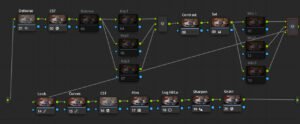
One of the most powerful features of DaVinci Resolve color grading is its node-based workflow, which provides unparalleled control and flexibility over the grading process. Nodes are individual layers where specific color adjustments are applied, allowing each node to perform a distinct task without affecting other parts of the image.
A common node structure might include Node 1 for primary color correction, Node 2 for adjusting contrast and exposure, Node 3 for refining skin tones, Node 4 for applying a look or LUT, and Node 5 for the final polish. This modular approach differs from traditional layer-based systems by giving editors precise, non-destructive control over every aspect of the grade, making it easier to experiment, tweak, and achieve professional results.
Primary Color Grading Tools in DaVinci Resolve
Color wheels are fundamental tools in DaVinci Resolve and play a crucial role in shaping the overall look of an image. The Lift wheel is used to control the shadows, allowing you to darken or adjust the darker areas of a shot. Gamma focuses on the midtones and is essential for balancing skin tones and overall exposure.
Gain controls the highlights, helping refine bright areas without losing important details, while Offset affects the entire image and is often used for global exposure and color balance adjustments. Together, these controls form the basic building blocks of color grading in DaVinci Resolve.
In addition to color wheels, contrast and pivot are important tools for enhancing image depth. Contrast increases the difference between light and dark areas, adding visual richness, while pivot determines where that contrast is applied within the tonal range, allowing for more precise control over the final look.
Secondary Color Grading Tools
Secondary tools in DaVinci Resolve allow you to target specific areas or colors within a shot for more precise control. Qualifiers are used to isolate particular colors such as skin tones, skies, or clothing, making it possible to adjust them without affecting the rest of the image.
Power Windows enable you to create masks that focus adjustments on specific regions of the frame, such as a subject’s face or background elements. Tracking tools then allow these masks to follow moving subjects automatically, ensuring consistent grading throughout the shot. Together, these secondary tools are essential for achieving professional-level color grading in DaVinci Resolve.
Using Scopes for Accurate Color Grading
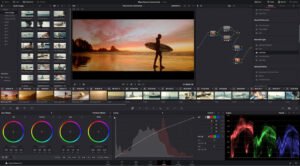
Scopes play a critical role in achieving precise and reliable color grading in DaVinci Resolve. They provide objective visual data that helps editors evaluate exposure, color balance, and tonal distribution accurately. The waveform scope is commonly used to check exposure levels and ensure highlights and shadows stay within safe limits, while the vectorscope monitors color saturation and is especially useful for maintaining natural-looking skin tones.
The histogram displays the overall tonal distribution of an image, helping identify crushed blacks or clipped highlights. By relying on scopes rather than just visual judgment, editors can achieve consistent, professional, and broadcast-safe results across all footage.
LUTs in DaVinci Resolve Color Grading
What Is a LUT?
A LUT, or Look-Up Table, applies a predefined color transformation to footage, helping change its appearance quickly and consistently. There are two main types of LUTs used in DaVinci Resolve: technical LUTs and creative LUTs. Technical LUTs are commonly used to convert flat or log footage into a standard color space such as Rec.709, creating a proper base for further adjustments.
Creative LUTs, on the other hand, are designed to add cinematic looks and stylistic tones to enhance the visual mood of a project. DaVinci Resolve supports both built-in and custom LUTs, allowing editors to achieve professional and cinematic styles efficiently while still maintaining full control over the final grade.
Skin Tone Correction in DaVinci Resolve
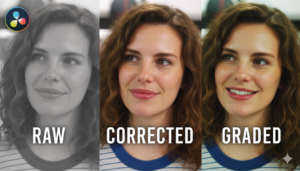
Skin tones are among the most important aspects of any video, as viewers are highly sensitive to unnatural or inconsistent facial colors. Proper skin tone correction can make the difference between a professional-looking production and one that feels amateurish. DaVinci Resolve color grading provides precise and reliable tools to achieve natural-looking skin tones across an entire project. By using the vectorscope skin tone line, colorists can ensure that skin colors remain within a realistic range, helping to maintain consistency even when lighting conditions or camera settings vary.
Careful control of saturation is another essential aspect of DaVinci Resolve color grading. Over-saturated faces can look artificial, while under-saturated skin may appear dull and lifeless. Maintaining balance ensures that the natural warmth and texture of skin are preserved. Consistency in skin tones across multiple shots is critical for visual continuity, particularly in scenes with several camera angles or complex lighting setups.
Professional DaVinci Resolve color grading always prioritizes realistic, balanced skin tones, allowing editors and colorists to create a polished, cinematic final product. By mastering these techniques, creators can ensure that subjects appear natural, believable, and visually appealing, enhancing the overall quality of the video and keeping the audience fully immersed in the story.
Matching Shots for Consistency
Shot matching is a vital part of DaVinci Resolve color grading, ensuring visual continuity between clips, especially when footage is captured from different cameras or under varying lighting conditions. Inconsistent colors or exposure levels can distract viewers and break the immersion, making professional shot matching an essential skill for any colorist or editor. DaVinci Resolve color grading offers several powerful tools to make this process efficient and precise.
The Color Match feature allows clips to be automatically balanced using reference frames or color charts, providing a fast and reliable starting point for matching shots. Split-screen comparisons are another useful tool, letting editors visually evaluate multiple clips side by side to identify discrepancies in color, contrast, or brightness. In addition, scope alignment ensures that exposure, contrast, and color values are consistent across shots, allowing for precise adjustments that maintain a seamless look throughout a sequence.
Shot matching is particularly critical in films, interviews, commercials, and multi-camera edits, where inconsistent visuals can break the flow and reduce the perceived quality of the project. By mastering DaVinci Resolve color grading tools for shot matching, editors can create a polished, professional, and visually cohesive final product. Consistent color and exposure across all clips not only enhance storytelling but also elevate the overall cinematic experience for the audience.
HDR and Advanced Color Tools
DaVinci Resolve color grading has become an essential tool for modern video production, especially for creators working with high-end cinematic projects. One of the key strengths of DaVinci Resolve color grading is its support for advanced HDR workflows, which allow editors to achieve a broader range of brightness, contrast, and color than standard video. HDR is critical for producing professional-quality videos, and DaVinci Resolve color grading provides the tools needed to fully harness this technology.
At the core of DaVinci Resolve color grading are its powerful HDR color wheels. These wheels are designed specifically for precise control over shadows, midtones, and highlights, enabling colorists to make targeted adjustments without affecting the rest of the frame. With these tools, DaVinci Resolve color grading ensures every scene is visually balanced, detailed, and cinematic.
In addition, DaVinci Resolve color grading includes zone-based grading tools that allow creators to make selective adjustments within specific luminance ranges. This means elements such as a subject’s face or background lighting can be enhanced independently, providing unmatched flexibility. Combined with wide color gamut support, DaVinci Resolve color grading ensures accurate color reproduction for HDR and next-generation display formats, making it future-ready for evolving professional workflows.
Whether you are producing feature films, high-quality web series, or commercials, DaVinci Resolve color grading empowers editors to create visually stunning content. Its combination of HDR tools, zone-based adjustments, and wide color gamut support gives creative professionals the precision and control needed to deliver cinematic results. For anyone serious about professional video production, DaVinci Resolve color grading remains a top choice for achieving vibrant, balanced, and captivating visuals.
Common Mistakes to Avoid in Color Grading
Beginners often make common mistakes in DaVinci Resolve color grading that can negatively affect the final look of a video. One frequent error is over-saturating colors, which can make footage appear unnatural and distract from the story. Crushing shadows or highlights is another common issue, as it can cause a loss of important details in dark or bright areas, reducing the overall visual quality. Ignoring proper white balance can lead to unwanted color casts, giving the footage an inconsistent or unprofessional appearance. Additionally, applying LUTs without performing basic color correction first often results in uneven or poor-quality visuals.
DaVinci Resolve color grading provides the tools to address these challenges effectively, but it requires understanding the workflow and practicing restraint. Beginners should focus on clean, balanced, and subtle adjustments, as these always look more professional and maintain a natural, polished appearance. Using DaVinci Resolve color grading techniques, such as node-based corrections, precise color wheels, and proper exposure adjustments, can help fix these common mistakes and elevate the visual quality of any project. With consistent practice and careful attention to detail, mastering DaVinci Resolve color grading allows creators to achieve cinematic, high-quality results that enhance storytelling and captivate audiences.
Tips to Improve DaVinci Resolve Color Grading Skills
Improving your DaVinci Resolve color grading skills requires consistent practice and a thoughtful approach to learning. Grading footage shot in different lighting conditions helps you understand how color behaves in various environments and prepares you for real-world projects. Studying films and commercials allows you to analyze professional color styles and storytelling techniques, while learning proper node organization keeps your workflow clean and efficient. Using scopes consistently ensures accuracy and prevents technical mistakes, and experimenting with different looks helps build creativity as long as realism is maintained. Regular practice is the key to mastering DaVinci Resolve color grading and developing a confident, professional workflow.
Career Opportunities in Color Grading
With strong DaVinci Resolve color grading skills, you can build a career in several high-demand roles within the film and media industry. Professionals with grading expertise often work as dedicated colorists, video editors who specialize in color grading, film and OTT post-production professionals, or freelance color grading artists handling projects across different platforms. Because color grading directly impacts the visual quality and storytelling of a project, it is considered a high-value and specialized skill in the industry.
When it comes to learning DaVinci Resolve color grading, the timeline depends on your practice and dedication. Basic color correction techniques can typically be learned within two to three weeks, allowing you to balance exposure, white balance, and consistency across shots. However, mastering advanced grading techniques, cinematic looks, and professional workflows usually takes two to six months of consistent, hands-on practice and real-world project experience.
Final Thoughts
DaVinci Resolve color grading is an essential skill for any video creator looking to elevate the quality and cinematic appeal of their projects. With its professional-grade tools, advanced color science, and node-based workflow, DaVinci Resolve color grading allows editors and colorists to achieve precise control over every aspect of their footage. From adjusting shadows and highlights to enhancing midtones and creating stunning cinematic looks, mastering DaVinci Resolve color grading can transform ordinary video into visually compelling storytelling.
Whether you are a beginner eager to learn the fundamentals or a professional looking to refine your craft, DaVinci Resolve color grading offers a wide range of features to meet every skill level. The software’s intuitive interface combined with powerful tools makes it possible to experiment freely while maintaining technical precision. Learning DaVinci Resolve color grading opens doors to exciting creative opportunities, including film production, web series, commercials, and other high-end video projects.
Start exploring the software’s color wheels, node-based adjustments, and wide color gamut support, and you will quickly see how DaVinci Resolve color grading can bring your vision to life. Trust the process, practice consistently, and let DaVinci Resolve color grading help you tell stories with color like never before.
0 Comment