
HOME - Top 10 Video Editing Apps of 2026: The Ultimate Guide for Creators on Mobile and Desktop
 Top 10 Video Editing Apps of 2026: The Ultimate Guide for Creators on Mobile and Desktop
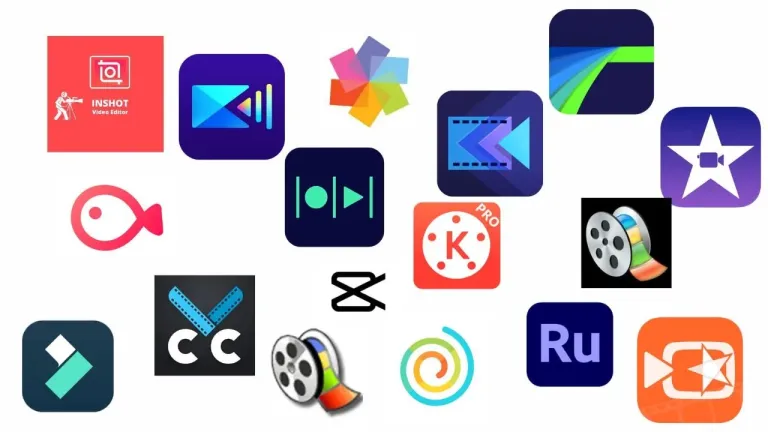
Top Best Video Editing Apps for 2026: Mobile & Desktop Guide
In this guide, we review the best 10 video editing apps that help creators produce professional-quality videos efficiently.
In today’s fast-moving digital world, video content has become king. Whether you’re creating YouTube videos, Instagram Reels, TikTok shorts, or professional documentaries, the right video editing app can make all the difference. The good news? There’s a powerful video editor for every skill level and platform — from super-simple mobile apps to professional desktop software. Choosing the best video editing apps is essential for creating professional-quality videos for YouTube, reels, and social media platforms. The best video editing apps combine ease of use with professional-level features for high-quality results.
In this blog, we’ll explore the top video editing apps of 2026, highlighting their features, pricing, advantages, drawbacks, and the types of projects each app excels at. Choosing the best video editing apps helps creators edit faster and deliver visually engaging content.
Let’s dive in!
Best Video Editing Apps for Beginners and Professionals
Before exploring the best video editing apps, consider a few key factors. Content quality matters, platforms differ between mobile and desktop, and skill level affects which app suits you. Modern apps also use AI for smart edits, captions, and color correction. Keeping these in mind will help you pick the right app.
How to Choose the Best Video Editing Apps for Your Needs
Many creators prefer the best video editing apps because they offer powerful features with simple workflows.
Best Video Editing Apps for Modern Content Creators
Mobile video editing has skyrocketed in popularity. Thanks to powerful processors and AI features, phones are now capable of pro-level edits.
CapCut – Best All-Round Mobile Editor
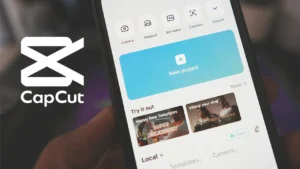
CapCut remains one of the most popular mobile video editing apps, known for being free, beginner-friendly, and packed with features for creating quick, engaging social videos. It offers one-tap effects and templates that make editing fast and intuitive, while AI-powered tools such as automatic captions and background removal help streamline complex tasks.
The app also provides a large library of music and transitions to enhance creativity. CapCut is best suited for TikTokers, Instagram Reels creators, and anyone focused on short-form content, and it’s available on iOS, Android, and the web. By striking the perfect balance between simplicity and advanced functionality, CapCut has become an ideal choice for most mobile content creators.
InShot – Best Beginner-Friendly Mobile Editor
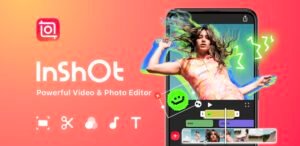
If speed and simplicity are what you need, InShot is the ideal app. It offers an intuitive interface that makes cropping and resizing videos for different social platforms effortless, while providing essential editing tools like trimming, filters, text, and music. Its drag-and-drop workflow simplifies the editing process, and quick aspect ratio adjustments make it easy to create content for TikTok, YouTube, and Instagram.
InShot is perfect for beginners, casual creators, and anyone looking to produce social media videos efficiently. Recently, the app has integrated AI-powered features that automate routine tasks, allowing creators to achieve high-quality results without dealing with complex tools. Available for download on iOS and Android platforms
KineMaster – Best for Semi-Pro Mobile Editing
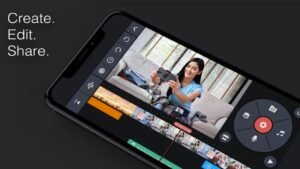
If you’re looking to go beyond basic cuts, KineMaster is a powerful mobile app that brings advanced editing tools to your phone or tablet—features typically found on desktop software. It supports multi-layer editing, blending modes, and chroma key (green screen), giving creators the flexibility to produce more polished and professional videos.
The app also offers an advanced timeline for precise edits and allows exports in up to 4K resolution. KineMaster is best suited for semi-professional creators and vloggers who want more control over their content. Available for download on iOS and Android platforms
VN Video Editor (VlogNow) – Best Watermark-Free Editor
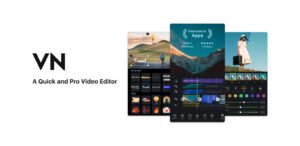
VN is a versatile and free video editor that offers a clean, multi-track timeline along with professional-grade features such as keyframe animation and LUT filtering—all without watermarks. The app allows advanced speed adjustments, custom filters and curves, and supports 4K export, giving creators the tools they need for high-quality videos.
VN is ideal for vloggers and mobile filmmakers who want powerful editing capabilities across multiple devices. It is available on iOS, Android, Windows, and macOS, making it a flexible choice for creators working on different platforms.
Edits by Meta – Best for Instagram Integration
Meta’s video editing app, Edits, is designed to integrate seamlessly with Instagram and Facebook, making it easy for creators to produce and share content directly on social platforms. The app offers AI-powered features such as animation, green screen, automatic captions, and built-in analytics to help creators optimize their videos.
Edits is specifically tailored for social video creation, provides direct Instagram export, and does not add watermarks to your videos. It is best suited for Instagram and Facebook creators and is available on both iOS and Android.
Best Desktop Video Editing Apps
For more serious video production, nothing beats a desktop editor. These tools offer precision, power, and professional industry workflows.
Adobe Premiere Pro – Industry Standard (Pro)
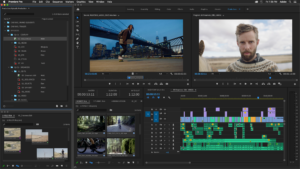
Adobe Premiere Pro continues to be the premier choice for professional filmmakers and video editors, offering a comprehensive feature set that caters to high-end production needs. Its capabilities include multicam workflows, advanced color grading, professional effects, and collaborative editing through the Adobe Creative Cloud.
Premiere Pro also provides a multi-platform timeline, sophisticated audio and graphics tools, and extensive export options, making it ideal for film editing, YouTube professionals, and video production studios. However, it is subscription-based and can be overwhelming for beginners due to its complexity. The software is available on both Windows and macOS.
Final Cut Pro – Best for Mac Creators
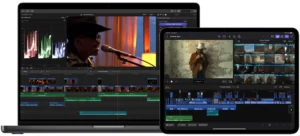
For Mac users, Final Cut Pro delivers exceptional performance and a powerful workflow optimized for macOS hardware. The software offers fast rendering, smooth editing, and recently introduced AI-driven features such as beat detection and automatic montage creation, making the editing process more creative and efficient. With these tools, editors can streamline their workflow while exploring advanced creative possibilities. Perfect for Mac creators and professionals, Final Cut Pro is available only on macOS
DaVinci Resolve – Best Free Professional Tool
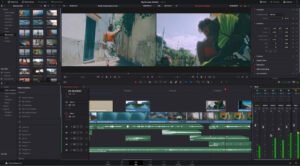
DaVinci Resolve stands out as a professional-grade video editor that offers a comprehensive suite of features for free, making it accessible to creators on a budget. It combines advanced color grading tools, audio post-production through Fairlight, and Fusion VFX integration, all within a powerful and flexible timeline. These capabilities make it an excellent choice for filmmakers and editors who want high-end production tools without the cost of expensive software. DaVinci Resolve is available across multiple platforms, including Windows, macOS, and Linux.
Filmora – Combining Professional Features with User-Friendly Ease
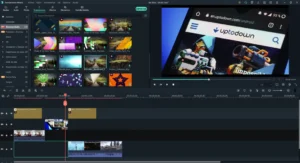
Wondershare Filmora offers a user-friendly interface combined with powerful editing features, making it an excellent choice for those looking for a balance between beginner simplicity and professional capability. It has a smoother learning curve compared to high-end professional tools, supports drag-and-drop effects and titles, and includes AI-powered motion tracking for more dynamic edits. Filmora is ideal for intermediate editors and YouTubers who want to create polished content efficiently. Available for download on iOS and Android platforms
VSDC Free Video Editor – Best Free Desktop Editor
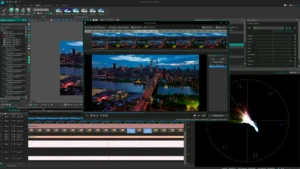
VSDC is a versatile non-linear video editor for Windows that offers high-resolution video editing, motion tracking, and a variety of effects—all for free. As freeware with no watermarks, it also includes features like screen capture and voice recording, making it a handy tool for creating tutorials, presentations, or social videos. VSDC supports VR and 3D footage, providing additional creative options for ambitious projects. It is best suited for beginners and budget-conscious creators working on Windows.
The best video editing apps allow creators to edit videos faster while maintaining professional quality.
How AI Is Changing the Game
AI is rapidly transforming video editing, making workflows faster and more efficient than ever before. Many mobile editors now offer automatic edits that can cut clips and suggest trims, while voice-to-text and auto-caption features save time by generating transcriptions instantly. Smart templates allow creators to produce professional-looking edits in just minutes, and advanced tools like Final Cut Pro’s AI-driven beat detection and montage recommendations help streamline complex editing tasks. These AI-powered features are more than just convenient extras—they accelerate workflows, reduce manual effort, and often enhance the overall quality and polish of your content.
How to Choose the Right Video Editing App for You
Here’s a simple guide:
When choosing a video editing app, the best option often depends on your goals. For quick mobile edits, apps like CapCut and InShot are ideal, while KineMaster and VN cater to those who want more professional mobile tools. Instagram-centric creators can benefit from Edits or InShot, and desktop filmmakers have powerful options like Adobe Premiere Pro, Final Cut Pro, and DaVinci Resolve.
Beginners on desktop may prefer Filmora or VSDC for a gentler learning curve. To get started efficiently, it helps to plan your edits in advance with a storyboard or shot list, use templates in mobile apps to save time, learn keyboard shortcuts for desktop editors, and stay updated on new features, particularly AI-driven tools.
In 2026, there is a perfect video editing app for every creator—whether you’re producing your first social media reel or editing feature-length films. Mobile editors make content creation fast and fun, while desktop software provides the power to craft cinematic masterpieces.
Experimenting with different tools will help you discover the workflow and style that works best for you.
Choosing the best video editing apps ensures better storytelling, faster editing, and consistent video quality.This guide to the best video editing apps helps creators select the right tools for efficient and high-quality video production. Choosing the best video editing apps ensures smooth workflows, better visuals, and consistent content quality.
Ready to start creating? Pick an app that suits your goals, explore its features, and let your creativity shine!
0 Comment