
HOME - Video Editing for Beginners: A Complete Step-by-Step Guide to Get Started
 Video Editing for Beginners: A Complete Step-by-Step Guide to Get Started
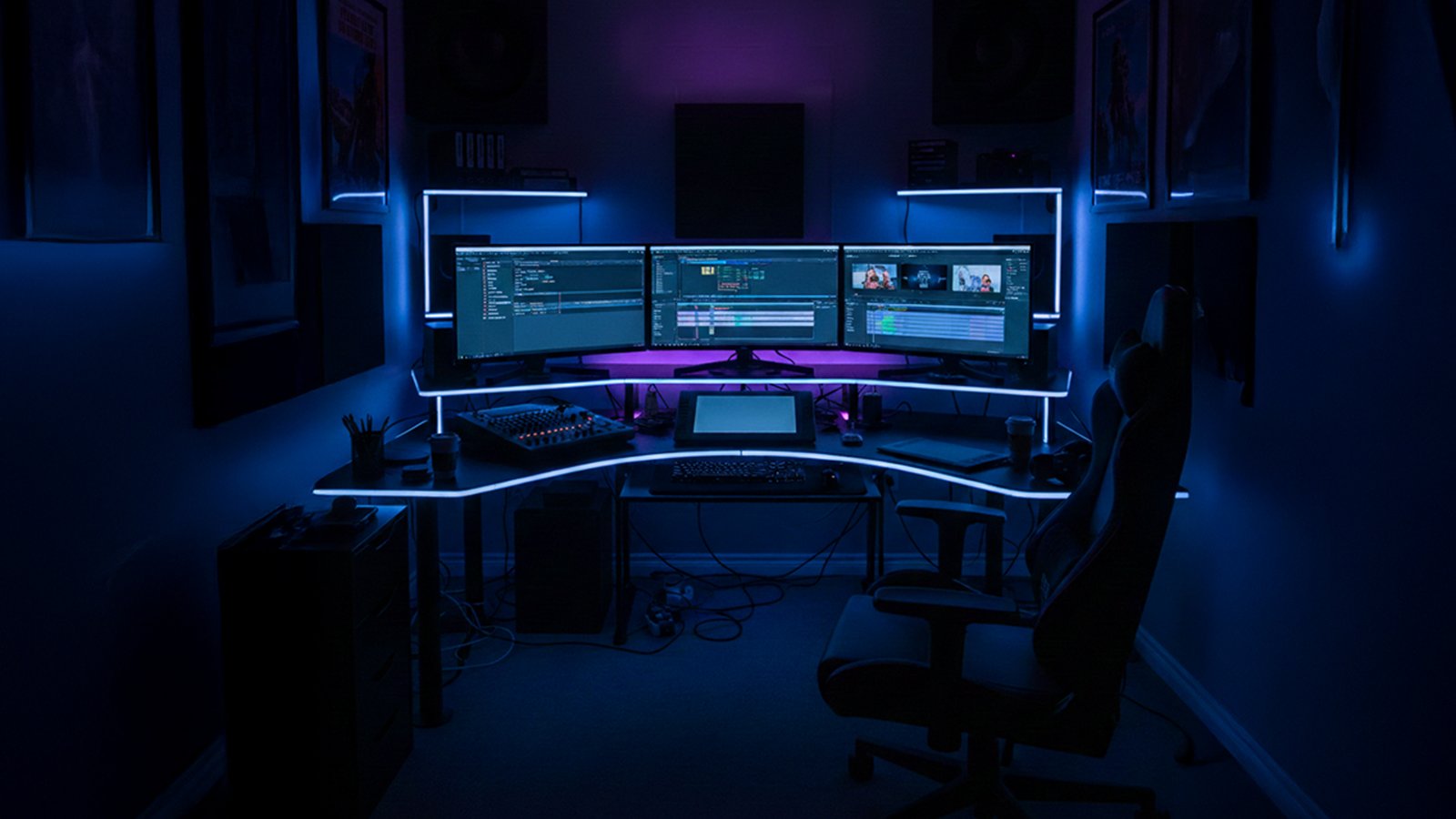
Video Editing For Beginners
Video editing is no longer just a skill reserved for professional filmmakers. In today’s fast-paced digital world, content creation has exploded, and almost everyone—from social media enthusiasts to aspiring entrepreneurs—is getting involved. Platforms like YouTube, TikTok, Instagram, and even LinkedIn have created immense opportunities for creators to share their stories, educate audiences, and grow their personal or professional brands. Whether you’re producing short reels, tutorials, vlogs, or professional presentations, having a solid understanding of video editing is now essential.
That’s where video editing for beginners 2026 comes in—it’s a comprehensive approach designed to help newcomers grasp the fundamentals and start creating impactful content with confidence.
Learning video editing for beginners 2026 is not as intimidating as it may seem. Modern editing tools and apps are designed to be user-friendly, enabling anyone to cut, trim, and combine clips, add music, insert transitions, and enhance visuals without years of experience. By focusing on basic techniques first, you can gradually build your skills and explore more advanced features like color grading, motion graphics, and audio enhancement. Following a structured guide on video editing for beginners 2026 can save time, reduce frustration, and ensure you develop strong foundational skills that you can expand over time.
One of the biggest advantages of mastering video editing for beginners 2026 is the ability to make your content more engaging. Well-edited videos hold viewers’ attention longer, convey your message clearly, and make your content look professional. Even simple edits—like smooth cuts, well-timed transitions, and synchronized audio—can dramatically improve the overall quality of your videos. As you progress, learning tips and tricks specific to video editing for beginners 2026 will allow you to add your creative signature and stand out from the crowd.
Additionally, video editing is not just a hobby—it’s a marketable skill. As demand for online content grows, companies, influencers, and startups are constantly looking for people who can edit videos professionally. By learning video editing for beginners 2026, you open doors to freelance opportunities, part-time projects, and even full-time careers in content creation, marketing, and media production. Starting with the right guidance ensures that your learning curve is smooth and effective, making the journey from a novice to a skilled editor achievable.
In conclusion, mastering video editing for beginners 2026 is more important than ever. It empowers you to tell better stories, engage your audience, and explore new career possibilities. Whether your goal is personal content creation or professional growth, starting with a solid understanding of video editing basics will give you the confidence and skills to succeed in the digital age.
WHAT IS EDITING ?
Understanding Video Editing
At its core, video editing is the process of manipulating and rearranging video shots to create a cohesive and compelling story. It goes beyond simply cutting clips; it’s about crafting an experience that engages your audience. Through video editing, you can remove unnecessary footage, enhance the visual appeal with effects and transitions, improve storytelling by adjusting pacing and sequencing, and add music, sound effects, or voiceovers to create emotional impact. For beginners, understanding these fundamentals is essential, as it helps you approach editing not just as a technical task, but as a creative art form.
Choosing the Right Video Editing Software
One of the first challenges beginners face is selecting the right video editing software, and the choice largely depends on your goals, device, and skill level. For those just starting out, free options like iMovie for Mac provide a user-friendly interface with essential features, while DaVinci Resolve offers powerful tools for color grading and audio, and HitFilm Express is perfect for experimenting with visual effects.
For those ready to invest in professional tools, Adobe Premiere Pro is the industry standard with advanced features, Final Cut Pro is optimized for Mac users seeking high performance, and Filmora offers a simple, beginner-friendly interface for quick results. As a tip for beginners, it’s wise to start with a free or trial version to learn the basics and gain confidence before committing to professional software.
Understanding the Interface
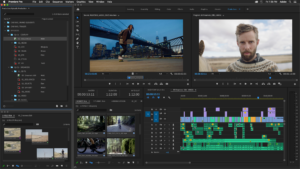
Every video editing software has its own unique interface, but most share several common elements that are essential to understand. The timeline is where your video clips are arranged in sequence, allowing you to control the flow of your project.
The media library stores all imported video, audio, and image files, keeping your assets organized. The preview window lets you see your project in real time as you make edits, while the effects and transitions panel provides tools to enhance your video creatively.
Audio controls allow you to adjust volume, add effects, and synchronize sound with visuals. Spending time familiarizing yourself with these elements is crucial, as even a basic understanding of the interface can save hours of frustration and make your editing process much smoother.
familiarizing yourself with these elements is crucial, as even a basic understanding of the interface can save hours of frustration and make your editing process much smoother.
Easy Video Editing for Beginners 2026: Starter Guide
Video editing has become an essential skill in today’s digital world, and it’s no longer limited to professional filmmakers. Whether you want to create YouTube videos, Instagram reels, TikTok clips, or professional presentations, learning the basics of video editing is the first step toward producing engaging and high-quality content. This starter guide is designed for anyone new to the field and focuses on making video editing for beginners 2026 simple and approachable.
For beginners, the key to success is starting with the basics. Understanding how to trim clips, add transitions, adjust audio, and overlay text can significantly improve the quality of your videos. By following this easy video editing for beginners 2026 guide, you’ll gain confidence and gradually explore more advanced features such as color grading, effects, and motion graphics. The goal is to make your videos look polished without feeling overwhelming or too technical.
Another important aspect of video editing for beginners 2026 is storytelling. Editing is not just about cutting clips together; it’s about conveying a clear message and keeping the audience engaged. Simple edits, thoughtful pacing, and smooth transitions can make a huge difference in how viewers perceive your content. Beginners who focus on these foundational skills often find that their videos are more compelling and professional-looking, even without advanced effects.
Finally, practice is crucial. The more you experiment, the more comfortable you become with the tools and techniques of video editing for beginners 2026. Mistakes are part of the learning process, and every project provides an opportunity to improve. By using this easy video editing for beginners 2026 starter guide, you can take your raw footage and turn it into engaging videos that capture attention, tell a story, and reflect your unique creative vision.
Basic Video Editing Techniques
Cutting and Trimming
The most fundamental skill in video editing is knowing how to cut and trim clips. Cutting removes unwanted footage, while trimming shortens clips without losing essential content.
-
Cutting:
Ideal for removing mistakes or pauses in dialogue.
-
Trimming:
Helps maintain pacing by shortening the start or end of a clip.
Arranging Clips
Once your clips are trimmed, arrange them on the timeline to tell a logical story. Pay attention to the flow—jumping too quickly between scenes can confuse viewers, while lingering too long can bore them.
Adding Transitions
Transitions smooth the movement from one clip to another. Common transitions include:
-
Cuts:
Instant change from one clip to another (most commonly used).
-
Fade:
Gradually fades out one clip while bringing in the next.
-
Slide/Wipe:
Moves one clip out of frame while the next slides in.
Pro tip: Avoid overusing fancy transitions as they can distract from your content.
Adding Text and Titles
Text helps communicate key points, introduce segments, or add context. Beginners should focus on:
- Lower-thirds: Display names or information at the bottom of the screen.
- Titles: Introduce sections or chapters in your video.
- Captions: Subtitles for accessibility and audience engagement.
Keep text simple, readable, and consistent with your video’s style.
Audio Editing
Good audio makes a video professional, while poor audio can ruin the viewing experience. Beginners should learn to:
- Adjust audio levels to avoid sudden loudness.
- Add background music to set the mood.
- Synchronize audio with video accurately.
Free resources like YouTube Audio Library and Free Music Archive offer royalty-free music suitable for beginners.
Understanding Video Formats and Resolution
When exporting your video, it’s important to understand formats, resolutions, and frame rates to ensure your content looks its best. Common file formats include MP4, MOV, and AVI, with MP4 being the most widely used for social media and web uploads due to its balance of quality and file size. Resolution is another key factor—HD (1080p) is standard for most content, while 4K offers exceptional quality but requires more storage and processing power.
Frame rate also impacts how your video feels: 24fps gives a cinematic look, 30fps provides smooth playback for general online videos, and 60fps works well for gaming or fast-action footage. Always choose your export settings based on your target platform to avoid unnecessary rendering issues and ensure your video looks professional.
Color Correction and Color Grading
Even a simple color adjustment can dramatically enhance the quality of your video. Color correction ensures consistency across all clips by allowing you to adjust brightness, contrast, and saturation, creating a uniform look throughout your project. Color grading, on the other hand, adds a creative touch, such as warmer tones for a cozy, inviting vibe or cooler tones for a dramatic, cinematic effect.
Beginners can start by using basic tools like brightness, contrast, and saturation sliders before gradually exploring advanced techniques, including LUTs and more detailed grading options, to give their videos a professional and polished finish.
Using Effects Wisely

Effects can greatly enhance storytelling, but overusing them can easily overwhelm viewers and distract from your content. Beginner-friendly effects include slow-motion to create dramatic impact, zooms or pans to draw attention to key subjects, and light leaks or overlays to give your video a cinematic feel.
It’s best to start simple, focusing on subtle effects that complement your story. Mastering these understated techniques allows your video to look polished and professional without appearing cluttered or amateurish.
Saving and Exporting Your Video
Properly exporting your video ensures it looks good on any platform. Consider: When exporting your video, proper settings are essential to ensure quality and compatibility. Compression helps reduce file size without sacrificing visual or audio quality, making your video easier to share. It’s also important to consider platform-specific requirements, as YouTube, Instagram, and TikTok each have recommended aspect ratios, resolutions, and bitrates for optimal playback. Additionally, organizing exported videos with clear file names and dates makes them easy to retrieve for future use. As a tip, always keep a high-quality master version of your video, so you can make edits or repurpose it without losing quality.
Learning Resources for Beginners
Becoming a skilled video editor is an ongoing journey that requires consistent learning and hands-on practice. Beginners can benefit greatly from YouTube tutorials on channels like Premiere Gal, Justin Odisho, and Film Riot, which provide step-by-step guidance for a wide range of editing techniques. For a more structured approach, online courses on platforms such as Udemy, Skillshare, and Coursera offer comprehensive lessons that cover both fundamental and advanced skills. In addition, working on practice projects—like recreating popular video styles or editing personal footage—helps build confidence and allows you to apply your knowledge in real-world scenarios, reinforcing your learning with practical experience.
Common Mistakes Beginners Make
Being aware of common pitfalls is one of the most important steps for anyone starting their journey in video editing for beginners 2026. Understanding what to avoid can save time, reduce frustration, and help you develop your skills more efficiently. One of the most frequent mistakes new editors make is overusing effects.
While it can be tempting to add every transition, filter, or animation available, doing so can distract from the story you are trying to tell. By keeping your edits simple—focusing on clean cuts, smooth transitions, and clear text—you ensure that the viewer’s attention stays on your content rather than flashy effects. This is a key lesson in video editing for beginners 2026: simplicity often leads to the most professional-looking results.
Another critical aspect often overlooked by beginners is audio. Poor sound quality can ruin even the most visually stunning video, and viewers are quick to notice it. Paying attention to audio levels, background noise, and clarity is crucial. Learning how to balance music, dialogue, and effects is an essential part of video editing for beginners 2026, and practicing this skill early will make a significant difference in the overall quality of your work.
Rushing through edits is another common pitfall. Many beginners jump from clip to clip without planning, which can result in disjointed or confusing videos. Thoughtful sequencing, pacing, and timing are the foundation of effective storytelling. By taking the time to structure your video before diving into edits, you improve both flow and engagement. This principle is emphasized in video editing for beginners 2026 guides and tutorials, helping new editors build strong editing habits from the start.
Equally important is understanding that video editing is more than just technical work—it is a storytelling tool. Neglecting the narrative or message of your video is a trap many beginners fall into. Editing should serve the story, clarify ideas, and maintain viewer interest. Learning from mistakes and reflecting on each project is a crucial part of growth in video editing for beginners 2026.
With practice, patience, and awareness of these common pitfalls, anyone can transform raw footage into engaging, professional-looking videos. Each mistake is an opportunity to improve, and over time, your confidence and skill as an editor will grow. By following best practices for video editing for beginners 2026, you will create videos that not only look polished but also capture and maintain your audience’s attention.
Video Editing Mistakes Beginners Must Avoid 2026
Video editing can be an exciting journey, but beginners often make common mistakes that can slow their progress or reduce the quality of their videos. Understanding and avoiding these mistakes is crucial for anyone learning video editing for beginners 2026. One of the most frequent errors is overusing effects. While it may be tempting to add multiple transitions, filters, and animations, too many effects can distract viewers and make your video look amateurish. Beginners learning video editing for beginners 2026 should focus on clean, simple edits that enhance the story rather than overwhelm it.
Another mistake is neglecting audio. Poor sound quality, uneven volume, or distracting background noise can ruin an otherwise excellent video. Paying attention to sound levels, background audio, and clarity is an essential step emphasized in guides on video editing for beginners 2026. Good audio ensures that your audience stays engaged and can follow your story easily.
Rushing through edits without planning is another trap many beginners fall into. Editing is not just about cutting clips—it’s about pacing, sequencing, and maintaining a smooth flow. Beginners following video editing for beginners 2026 tutorials learn that thoughtful planning and structuring of footage make a huge difference in video quality.
Finally, beginners often forget the importance of storytelling. Editing should always serve the narrative, keeping the audience engaged and delivering a clear message. By learning from these mistakes and practicing regularly, anyone can improve their skills and confidence in video editing for beginners 2026.
Avoiding these common pitfalls allows beginners to create professional-looking videos faster and more effectively. With patience, attention to detail, and consistent practice, video editing for beginners 2026 becomes an enjoyable and rewarding skill that opens doors to creative and professional opportunities.
Tips for Faster Learning
To accelerate your learning as a beginner, it’s helpful to follow a few practical strategies. Start small by editing short clips before taking on longer projects, which allows you to build confidence and gradually develop your skills. Using templates provided by many editing software programs can simplify the process and help you create polished videos quickly.
Learning keyboard shortcuts is another time-saving technique that can make your workflow much more efficient. Additionally, seeking feedback by sharing your work with friends or online communities provides constructive criticism, helping you identify areas for improvement and refine your editing abilities over time.
Building Confidence as a Beginner
Video editing can feel overwhelming initially, but consistent practice builds confidence. Celebrate small victories—like finishing your first edited clip or mastering a transition—and gradually take on more complex projects. Remember, every professional editor started as a beginner.
Final Thoughts
Video editing is both an art and a skill, and in today’s digital era, it has become an essential tool for anyone looking to create engaging content. For beginners, the most important step is to start experimenting. Don’t be afraid to make mistakes—every error is a learning opportunity that brings you closer to mastering the craft.
By focusing on storytelling first, you can ensure that your videos communicate a clear message and connect with your audience. Keeping edits simple in the beginning allows you to build confidence, and as you progress, you can gradually explore advanced features like color grading, visual effects, transitions, and audio mixing. Following a structured approach like video editing for beginners 2026 helps you learn these techniques step by step, making the entire process manageable and enjoyable.
One of the key principles of video editing for beginners 2026 is practice. The more you experiment with different tools and styles, the more comfortable you become in manipulating footage to create your desired effect. Even basic edits such as trimming clips, adjusting audio levels, or adding text overlays can make a huge difference in video quality.
As you gain experience, incorporating features like slow motion, filters, and motion graphics will allow you to add your own creative touch. Learning video editing for beginners 2026 is not just about using software—it’s about understanding how visuals, sound, and timing work together to tell a compelling story.
Another advantage of mastering video editing for beginners 2026 is the potential it offers for personal and professional growth. Well-edited videos capture attention, boost engagement, and can even open doors to freelance opportunities or career paths in content creation, social media management, and marketing. By consistently applying what you learn, you’ll be able to transform raw footage into polished, captivating videos that inspire and entertain your audience.
With dedication and practice, anyone can become a confident video editor. Tools are more accessible than ever, and the knowledge you gain through video editing for beginners 2026 will give you the foundation to create your first masterpiece and continue improving. The world of video editing is vast and full of possibilities, and your journey starts with small steps, creative experimentation, and a commitment to learning. Soon, you’ll find yourself crafting videos that not only look professional but also leave a lasting impact on your viewers.
0 Comment